

How to Start a Podcast?
Around three years ago, I started Traveling Kunz to document my travels. Now, in 2026, it is time to step up my game. I have launched a multilingual podcast about Kinmen Island. I learned that starting a podcast is not rocket science. But I made plenty of mistakes along the way. So here is my beginner’s guide on how to start a podcast.
This tutorial will show you how to create a podcast from scratch. I made mine on YouTube, but you can also use Spotify or any other platform. This article starts at zero, so we speak about hardware, software, recording, publication, and promotion of your podcast.
My Kinmen Podcast is now a complete audiobook. You can listen to it, but I have also written a Kinmen Island eBook. As the podcast, the book is free of charge.
What is a Podcast?
The key feature of a podcast is on-demand listening. Unlike live radio, you can listen whenever you want and wherever you are. Podcasts are available on platforms like Spotify and Apple Podcasts and cover a wide range of topics, from news and comedy to niche interests like true crime or tech. They can be produced as audio-only formats or as video series.
I considered other hosting options, but Youtube just seemed like the best option, if you already have a channel anyway. In case you want to know how to start a podcast on Spotify, I am afraid I cannot help you.
And talking about what a podcast is, I have to confess, I bent the rules a bit. I did not plan to make my podcast permanent. And I also do not have guests. Thus, my podcast is rather an audiobook. But listen yourself and share your thoughts.
How to Start a Podcast for Free?
Unfortunately, you cannot start completely for free. Unless you steal your hardware (not recommended). You do need some basic equipment. The good news is that once you have a computer and some essentials, you can run your podcast without additional costs. And maybe even get paid. But that only works if you appeal to a larger audience. As a beginner, your focus should be on building a solid foundation with the right tech stack.
The equipment needed to start a Podcast
Your hardware requirements depends on your podcast format. Interviewing people in the field is more difficult than a solo podcast. As I am doing this on a budget, I try to produce my content as cheaply as possible, without sacrificing too much quality. Luckily, most of my podcast gear overlaps with what I already use for travel videos. My setup includes:
- Second-hand Windows PC: 15,000 NTD / 500 USD
- Microphone: Hollyland Lark M1: 130 EUR / 150 USD
- Webcam: Logitech C922: 85 EUR / 100 USD
- USB Face Light: 5 USD
In total, that is around 755 USD. However, most of you may already own a computer, webcam, or lighting. These prices reflect what I paid at the time. I list everything in US dollars and in the currency of the purchase region. For more details, check my blog about my tech stack as a travel vlogger.
If you have watched my podcast, you might wonder why I did not use a green screen. That effect comes from the editing software. I also do not have a record studio. I just sit at home at my desk. Then, remove the background during editing. That is also why I needed a computer with a dedicated GPU. The computing power allows me to edit the recorded podcast.
Obviously, I created a video podcast. If you are doing an audio-only podcast, you do not need a video camera, but you can still follow this blog post. If you want to know how much it costs to start a podcast, read my article about How Much Does It Cost to Create Videos?
I started my podcast at home using my travel vlogging equipment. Basic hardware, such as a webcam and an inexpensive microphone, is a great way for beginners to get started with podcasting.
Best Software to Start a Podcast
The good news is you do not need to buy any software. I use DaVinci Resolve for editing, and I recommend beginners use it too. I do not use a dedicated podcast app.The free version of DaVinci Resolve by Blackmagic Design is all you need. It lets you:
- Edit/cut your videos
- Record voice-overs
- Mask or remove the background
- Manage audio such as background music
I write my scripts in Google Docs. Yes, I do script my podcasts. As a beginner, scripting is helpful: it speeds up production and helps you plan your editorial schedule. For thumbnails, I use Canva. I also do not use a teleprompter app.
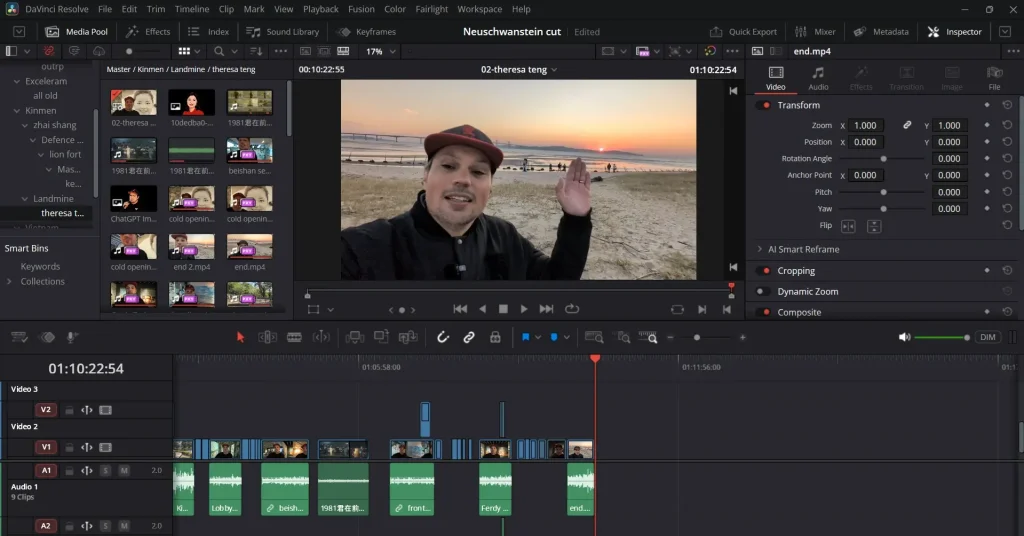
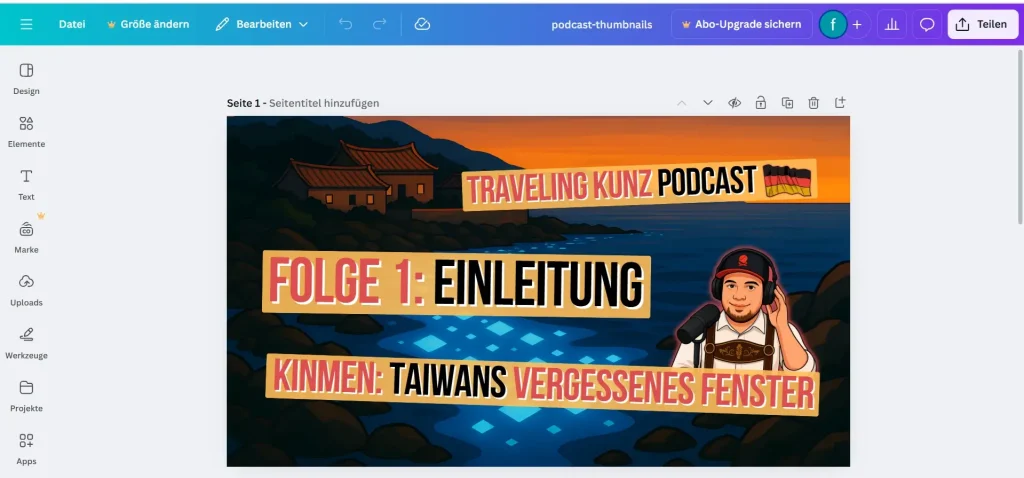
To record the podcast, I use the standard camera app on Windows. If I ever wanted to, I could use YouTube for live podcasting. However, I have no intention to do so. Thus, I cannot tell you how to start a podcast and make money. That is not part of my plan.
Podcast Hosters: How to Start a Podcast on YouTube?
Finally, you need a platform to host your podcast. I chose YouTube because I already host my travel vlog. But there are other options. To be honest, I did not do much research because my criteria were simple:
- I wanted to produce content in German
- I wanted to talk about Kinmen
- I had very limited resources
Since I had no intention of making a profit, I stayed with YouTube. Especially after I discovered the ability to add voice-overs in various languages. Now my podcast is in English, German and Chinese. Read how to make an AI Voice-Over for videos for more details.
However, if your goal is to earn money with a podcast, you should aim to maximise reach. Thus, you may want to check out additional or alternative platforms. Podcast hosting providers such as Buzzsprout, Podbean, or Spotify store your media and distribute it via an RSS feed. There are also many smaller platforms, including iHeartRadio, Overcast, Audible, and Amazon Music.
To see ways on how to earn money with a podcast, check my blog post “How to Become a Travel Vlogger and Get Paid?” The tips there also work for podcasts.
Sidenote: Why Podcast Recording Equipment Is Important
You do not need expensive podcast equipment to achieve good audio quality. However, with my setup, I rely on DaVinci Resolve to improve the sound. Without editing, the audio would simply be too poor. In my case, the software has to compensate for my limited budget.
I do not use a dedicated podcast microphone. If you can afford it, consider investing in a better mic. Dynamic microphones work best for podcasting, and you can even use an XLR microphone together with an audio interface or mixer.
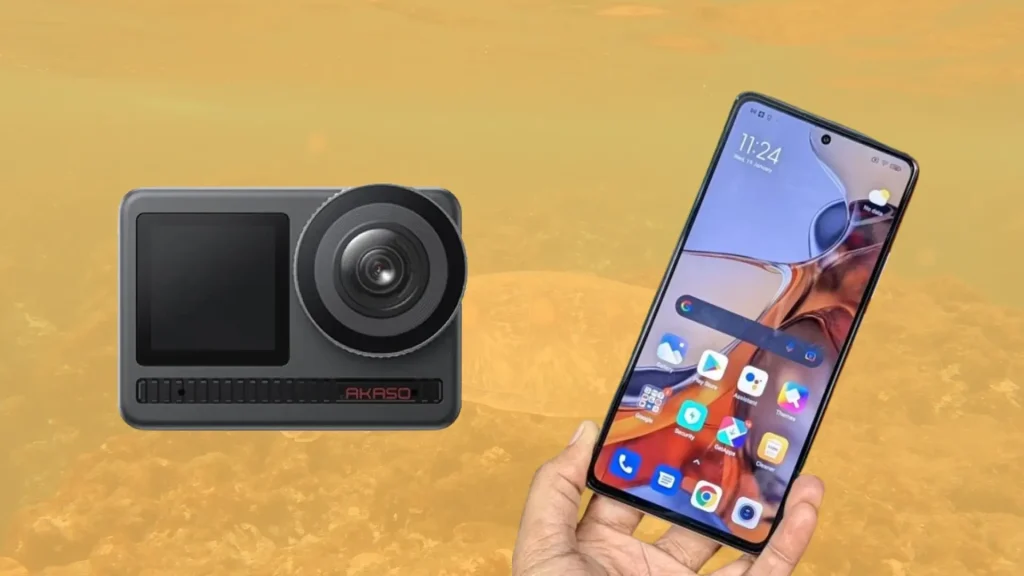
Of course, all of this comes at a price. USB microphones are more affordable and plug directly into your computer. Some models can even run through an interface if you record with multiple people. I tried a cheap USB microphone and was not happy. Thus, I decided to use my wireless lavalier microphone since the second episode of my podcast.
Plan Your Podcast: Schedule, Name, Branding, and Scripts
You now have your tech stack and a platform, but you should not start recording your podcast just yet. Instead, sit down and write a project plan. You need to outline the basics of how your podcast will work. Consistency is key, so define the following topics:
Podcast Audience and Goal of the Podcast
Define your audience and your topic. Know who you are talking to, and choose a subject you can discuss consistently. Also consider the user experience: What is the overall goal of your podcast? Picture the journey of your listeners. Do you want to share a message and create awareness? Do you aim to generate leads for a business? Or do you simply want to explore your favorite hobby?
Create a Consistent Podcast Schedule
Decide on a release schedule and stick to it: Weekly, bi-weekly, or monthly. Also brainstorm a few episode topics in advance. But, of course, be realistic. If you have a family and a full-time job, you may not be able to publish a new episode every day.
For example, I began producing my podcast in 2025. I wanted to launch episodes weekly so listeners could binge them. But that required a lot of preparation. The first few episodes were not time-sensitive, which helped. I also limited myself to around ten episodes because I wanted to test podcasting first. After that, I planned to return to my travel vlog.
Start with Your Podcast Branding Persona to Reach a global audience
Branding and messaging are important to scale your podcast in the future. Think of your podcast as a brand. A brand is a product, service, or concept that is publicly distinguished from others so it can be communicated clearly. Branding is the process of creating and communicating that identity.
This may sound complex, but start with the name. Your podcast name is a core part of your brand: it makes a strong first impression and sets the tone. It should also hint at what your content is about. For example, my core topics are Kinmen Island and traveling in Taiwan.
Branding also includes an engaging intro and outro. You can find royalty-free music at no cost. And sound effects or jingles can help as well. Once you settle on a name, define a few essential brand assets such as fonts, colors, and key visuals. There are plenty of free tools available, AI tools included. Just make sure you do not use stolen or copyrighted content.
Write Scripts for Each Episode of Your Podcast
This may seem like overkill, but I strongly recommend (again) scripting your podcast. It makes production smoother and improves the overall user experience. It also helps ensure a clear structure so your audience can follow along. Plus, it allows you to find a suitable podcast episode length.
If full scripts feel like too much work, at least write a list of bullet points. This will improve the flow of your episode. If you aree working with a co-host, share the outline so you can prepare together.
Ready to Start? How to Record a Podcast
Now you can finally start recording. I jumped right in. I did not read any guides. Instead, I switched on my small lamp, opened my webcam software, and recorded my first episode. Thanks to my script, I could record different scenes and later cut them together. Since I used a lavalier microphone, I do not have to worry about any special microphone techniques.
I recorded at home in my small office. The echo was an issue, but as mentioned before, I improved that later through audio editing. You can judge the results yourself by watching my videos. My suggestion: just try it. You will learn as you go.
Edit Your Podcast Audio & Video
Because I follow a low-budget podcasting approach, I had to do a bit of editing. I cleaned up the audio and even installed several plug-ins in DaVinci Resolve. However, as a beginner, I recommend keeping the process simple. If you focus too much on production, you willl feel overwhelmed. Just make sure the audio quality is acceptable. Do not accept miracles if you are doing a podcast on a budget.
You should at least add basic fades between audio tracks to reduce unwanted noise. Since my podcast is on YouTube, I also added video footage as well as Chinese and English subtitles. Last month, I wrote a tutorial on how to create an AI voice-over for free. There, I also show how to create and export subtitles.
Podcast editing is a big topic on its own, too big for this article. I will keep it short here, this deserves its own dedicated blog post.
Prepare Your Podcast for Publication
Next, you need to schedule or publish your podcast on the platform of your choice. Prepare your podcast title, artwork, and description. All this information helps your podcast appear in search engine results.
Your podcast description is where you tell listeners what they can expect from your content. Also, consider a thumbnail and other visuals to make your podcast more appealing.
Publish Your Podcast, Follow Up and Share Your Content
When you are ready, publish your episode. After your podcast goes live, you still have a few tasks on your to-do list. First, share your podcast on social media. I use Facebook, Instagram, and even LinkedIn.
Second, monitor comments and feedback. People often share their opinions, which is usually helpful, but not always. For example, I talk about Kinmen Island, which also involves discussions about Taiwanese-Chinese relations. You can imagine that this attracts trolls of all kinds. I hope your blog or podcast is more successful and less controversial than mine!
Summary: Getting Started with Your Podcast
This is the longest article on my website, and you manage to read it to the end. But it is also a step-by-step guide for starting a podcast. But note: The article focuses on a budget-friendly approach and is designed for beginners. There are many other options.
You do not have to use Youtube, and you may wanna invest a bit more in your podcast microphone. Or you have money on the PC hardware and go for an audio only podcast. Anyway, this is my take on how to start a podcast. Feel free to reach out to me and, of course, follow Traveling Kunz on YouTube.